
Smart Home Hub Guide: Best Options for Control & Automation
Smart homes rarely start smart. They start with one bulb, then a plug, then a thermostat, and pretty soon there are five different apps fighting for space on your phone. A smart home hub is what pulls all of that back together, giving every device a single place to live and a shared language to speak. This guide walks through what a hub actually does, the best options available in 2026, and how to pick the right one for your setup, plus where energy monitoring fits into the picture once your devices are already talking to each other
What is a smart home hub and why do you need one
A smart home hub is the central control point that lets devices from different manufacturers talk to each other. It handles the translation between protocols (Zigbee, Z-Wave, Thread, Wi-Fi, Matter, Bluetooth) and routes commands. So your phone, voice assistant, or automation can reach everything in one place.
Not every smart device requires a dedicated hub. Some Wi-Fi devices connect directly to your router and can be controlled through their manufacturer's app. However, a hub becomes more useful as your smart home grows.
Signs you need a smart home hub
App overload: You are opening three or more apps just to adjust lights, lock the front door, and tweak the thermostat.
Delayed automations: Motion sensors and lights fail to trigger instantly because commands rely on slow cloud servers instead of local processing.
Network congestion: Your Wi-Fi router is sluggish from managing dozens of individual 2.4 GHz smart home peripherals.
Latency & cloud outages: Your smart switches fail to respond whenever your internet connection drops.
Matter is also changing the role of the hub. It is an industry-wide smart home standard designed to improve interoperability between compatible devices and ecosystems. Matter-enabled devices can communicate locally over your home network, while Multi-Admin allows compatible devices to be shared across supported ecosystems.
Best smart home hubs in 2026
Choosing the best home automation hub depends on whether you prioritize multi-protocol compatibility, plug-and-play voice ecosystems, or local-first privacy.
Hub | Category | Protocol Support | Best For | Watch Out For |
Homey Pro (2026) | Multi-protocol | Z-Wave, Zigbee, Thread, Matter, Wi-Fi, Bluetooth, IR | Mixed-brand homes with older and newer devices | Steeper setup for casual users |
Aqara Hub M3 | Multi-protocol | Matter, Thread, Zigbee | Aqara devices plus Apple Home, Google Home, Alexa, SmartThings | No Z-Wave support |
Aeotec Smart Home Hub | Multi-protocol | Z-Wave, Zigbee, Wi-Fi, Matter | Samsung SmartThings households | Best suited to SmartThings ecosystem specifically |
Amazon Echo Hub / Echo Show | Ecosystem-centric | Alexa, Matter | Voice control plus a visual dashboard | Tied to Alexa ecosystem |
Google Nest Hub | Ecosystem-centric | Matter, Thread | Google Home households | Best within Google's ecosystem |
Apple HomePod mini / Apple TV | Ecosystem-centric | Matter, Thread | Apple Home households | Limited outside Apple ecosystem |
Home Assistant Green | Specialized | Broad, via integrations and USB adapters | Privacy-focused users who want local execution | Requires more hands-on configuration |
Philips Hue Bridge Pro | Specialized | Matter (lighting-focused) | Complex smart lighting setups | Not built for whole-home automation |
Key factors when choosing a smart home hub
The right smart home hub should match your devices, preferred ecosystem, privacy needs, and automation goals while leaving enough room to expand as your connected home grows.
Protocol support and Matter compatibility: Check whether the hub supports the protocols your devices use, including Wi-Fi, Zigbee, Z-Wave, Thread, and Matter. Strong protocol support gives you more flexibility when adding devices from different brands and ecosystems.
Ecosystem: Consider whether you prefer Alexa, Google Home, Apple HomeKit, or a multi-platform setup. Staying within your existing ecosystem can simplify device pairing, voice control, automation, and everyday management across your smart home.
Local vs. cloud processing and privacy: Hubs that process automations locally can respond faster and continue handling some functions during internet outages. Local processing can also reduce cloud dependence, making it an important consideration for privacy-conscious homeowners.
Price and long-term support: Compare the upfront cost with ongoing subscription fees, accessories, and required bridges. Check the manufacturer's history of software updates and compatibility support to ensure your hub remains useful as smart home technology evolves.
How to set up your smart home automation hub
Setting up a smart home automation hub is usually straightforward. With the right placement and a few simple steps, you can connect your devices, create automations, and build a reliable home control system.
Choose the right location: Place the hub centrally, away from thick walls, metal surfaces, and large electronics that interfere with wireless signals.
Mount or position the hub: Wall-mount at eye level if supported, or set portable/tabletop hubs on a stable surface.
Connect to power and network: Use an Ethernet cable for the best latency, or connect to your 2.4/5 GHz Wi-Fi network during setup.
Add and sync your devices: Pair lights, plugs, thermostats, sensors, and locks through the companion app. Matter-compatible devices simplify cross-brand connections.
Create your first automations: Start simple, like triggering hallway lights from motion or scheduling thermostat changes.
Test everything: Check device response and automation triggers from different areas of the home before adding more devices.
EcoFlow PowerInsight 2: smart home control meets energy monitoring
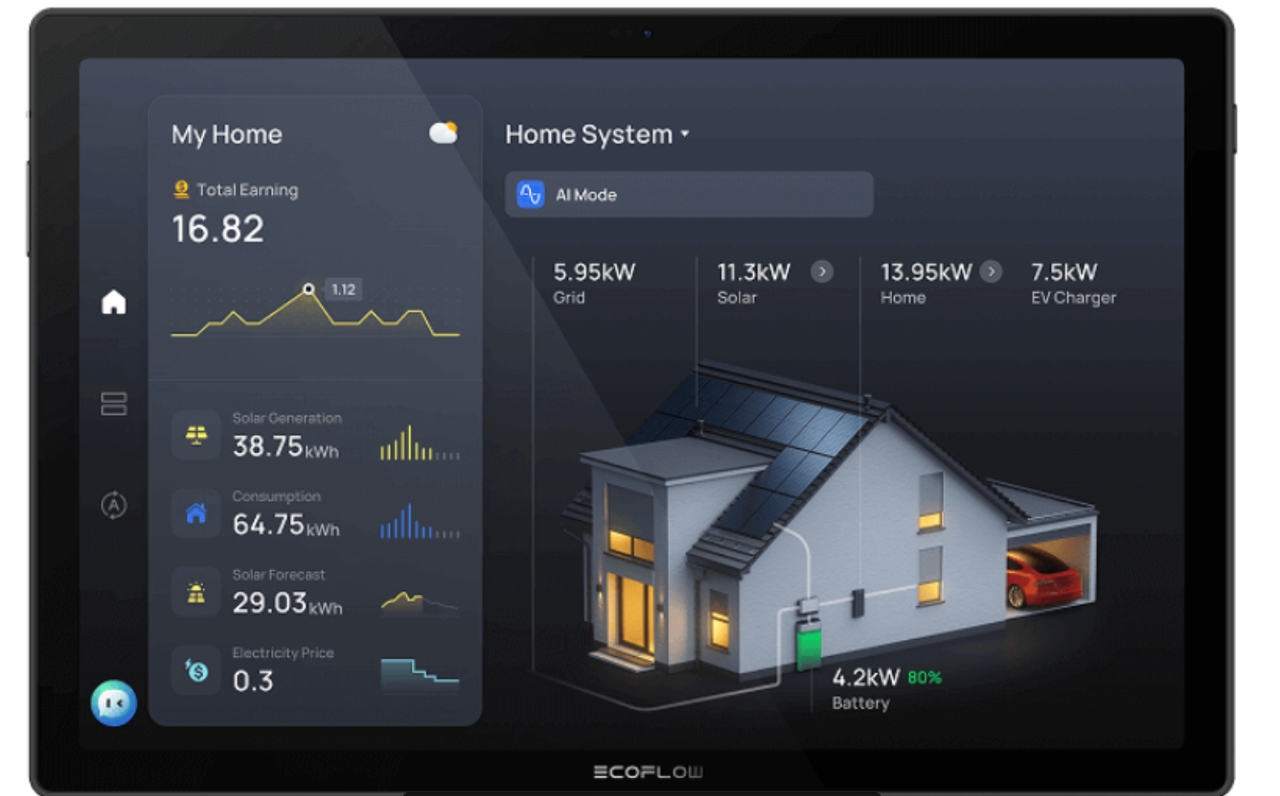
Traditional smart home hubs focus on device control, turning lights on, adjusting thermostats, or running scenes. Adding energy monitoring elevates that role by showing exactly how much power those devices (and the rest of the home) are using or producing in real time. Visibility turns automation into informed decisions: you can shift loads to solar hours, protect battery reserves, or spot waste without opening multiple apps.
The EcoFlow PowerInsight 2 Monitor delivers both. Its 11-inch high-resolution touchscreen displays live solar generation, home consumption, and battery charge/discharge status at a glance. Matter 1.4 support lets you control compatible lights, thermostats, smart plugs, and more from the same screen, working with EcoFlow energy systems as well as third-party Matter devices such as Google Nest and Ecobee. Voice insights provide hands-free energy updates, while the large internal battery supports the wall-mount or portable use with extended runtime.
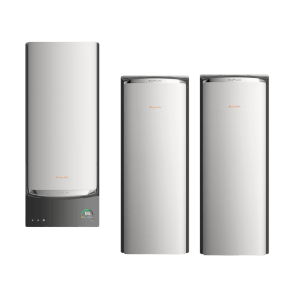
It pairs especially well with systems like the EcoFlow OCEAN Pro, an on-grid residential battery that works with solar, and generators to deliver whole-home backup. Together they help homeowners save on utility bills and even earn through virtual power plant participation.
For anyone who wants unified device control plus clear energy visibility, PowerInsight 2 turns a standard hub experience into a practical command center for both comfort and efficiency.
Conclusion
Smart home hubs unify scattered smart devices into a single, responsive system, eliminating app clutter and communication friction. The ideal home control hub ultimately matches your primary ecosystem, protocol compatibility, local automation needs, and long-term expansion goals. However, a truly intelligent home must combine standard device control with active energy visibility and management. Innovative solutions like EcoFlow PowerInsight 2 offer the complete package, centralizing household automation while monitoring real-time power use for a smarter, more cost-efficient living space.
Get Your Free Home Energy Consultation!
Which energy solution are you interested in?
FAQs
What does a smart home hub do?
A smart home hub connects compatible devices and lets you control them from one place. It can also coordinate automations, allowing lights, thermostats, sensors, locks, and other devices to work together.
Is it worth getting a smart hub?
Yes, especially if you own multi-brand devices and want to eliminate app fatigue. A dedicated hub takes strain off your Wi-Fi router, speeds up routine execution with local processing, protects your privacy, and enables complex automated triggers that basic smart apps simply cannot handle alone.
What is an example of a smart home hub?
Examples include Home Assistant, Homey Pro, Aqara Hub M3, Aeotec Smart Home Hub, Amazon Echo Hub, Google Nest Hub, and Apple HomePod mini. The best choice depends on your devices and preferred ecosystem.
Can I use multiple smart home hubs together?
Yes. You can use multiple hubs when different devices require separate platforms or protocols. Compatible Matter devices can also work across supported ecosystems, allowing you to combine systems while keeping centralized control.

