
Essential Steps for National Grid US Pay Bill Online Management
Managing your monthly utility expenses doesn't have to be a complicated or time-consuming chore. If you are trying to figure out the most efficient National Grid US pay bill online method, this comprehensive guide has you covered. We will walk you through everything from setting up your initial digital account to understanding the specific charges on your statement. Along the way, as you analyze your daily usage, you might also discover the value of energy independence—such as how integrating a reliable home battery backup can help you monitor your consumption and keep your essential appliances running during unexpected grid outages
How to Register for Your Digital Account
Before you can enjoy the convenience of managing your utilities over the internet, you need to create a secure digital profile. This process is very straightforward. It links your physical home address to an online dashboard. To gain better control over your household power consumption, implementing a smart home energy management system provides a practical foundation. To get your account up and running today, simply follow these five easy steps:
Step 1. Gather Your Details
Before you sit down at your computer, you need to have the right information handy. Locate your 10-digit account number. You can find this number at the top of a recent paper statement. You will also need the exact service ZIP code for the property where the utility is connected. Having these details ready will make the process much faster.
Step 2. Initiate Registration
Next, open your preferred web browser and navigate to the National Grid's official website. Look for the sign-in menu, usually located in the top-right corner of the homepage. Click on the option that says "Create My Account." This will take you to the secure registration page.
Step 3. Link Your Property
Now, the system needs to know which house is yours. Input your 10-digit account number carefully. This connects your physical service address to your new digital dashboard. Double-check the numbers to ensure you do not make a typing mistake.
Step 4. Verify Your Identity
Security is very important when dealing with billing information. You will need to complete a required security check. The website will give you a few options. You can receive a quick SMS code on your mobile phone, get an automated voice call, or provide the last four digits of your Social Security Number (SSN) or Tax ID. Pick the option that is easiest for you.
Step 5. Set Login Credentials
Finally, it is time to create your login details. Register an active email address as your new User ID. Make sure it is an email you check regularly, as this is where you will receive your billing alerts. Then, create a secure password. Use a mix of uppercase letters, lowercase letters, numbers, and symbols to protect your account.
Top Methods to Pay a National Grid Bill Online
Once your profile is set up, you have several choices for clearing your monthly balance. Knowing how to pay a National Grid bill online effectively can save you both time and money. Some people prefer to log in every month to review their usage. Others want a more automated approach. Let's look at the best ways to handle your payments.
When managing your home's power, it is helpful to look at the big picture. Building a smart Home Energy Ecosystem can completely change how you view and use electricity. But for now, let's focus on the actual payment methods available to you.
Setting Up Recurring AutoPay Payments
If you want true peace of mind, AutoPay is the way to go. This feature automatically deducts your monthly balance from your chosen bank account or credit card on the exact due date.
The biggest advantage of AutoPay is convenience. You never have to worry about missing a deadline. You completely eliminate the risk of being charged late fees. Once you set it up in your secure user portal, the system does all the work for you. You will still receive an email statement a few weeks before the money is taken out. This gives you plenty of time to review the charges and make sure everything looks correct.
Utilizing the Guest Checkout Feature
Sometimes, you might be in a rush. Or, perhaps you are helping a family member pay their balance and you do not have their login password. In these situations, the guest checkout feature is incredibly helpful.
The guest payment portal allows you to National Grid pay bill online without signing into an account. All you need is the 10-digit account number and the service ZIP code. You can quickly enter these details, input your credit card, debit card, or checking account information, and hit submit. It is a very fast process. However, keep in mind that using the guest checkout means you cannot view your past usage history or save your payment methods for next time. It is designed strictly for fast, one-time transactions.
Decoding Your Monthly Energy Charges
When you open your statement, you will see a lot of numbers, charts, and technical terms. It can look overwhelming at first glance. However, understanding your bill is the first step toward lowering it. By decoding the specific charges, you can see exactly where your hard-earned money is going.

Supply vs. Delivery
The most important thing to know is that your total balance is split into two main categories: Supply and Delivery.
Supply Charges: This is the cost of the actual energy you used during the month. It is the price of the electricity or natural gas itself. Utility companies often buy this energy from power plants on the open market.
Delivery Charges: This is the cost of bringing that energy to your home. It covers the maintenance of the power lines, the utility poles, the gas pipes, and the local transformers. Even if you use very little energy one month, you will still see delivery charges. This is because the infrastructure needed to keep your home connected must be maintained year-round.
Understanding Rate Schedules
You will also notice the phrase "price per kilowatt-hour" (kWh) on your statement. A kilowatt-hour is simply a unit of measurement for electricity. Your rate schedule determines how much you pay for each unit.
Many areas use a "Time-of-Use" rate schedule. This means the price of electricity changes depending on the time of day. During "peak" periods—like late afternoon and early evening when everyone is coming home from work, cooking dinner, and turning on the TV—electricity is more expensive. During "off-peak" periods—like the middle of the night—electricity is much cheaper. Knowing when these periods occur in your area can help you plan your energy use and save money.
Strategies to Lower Your Monthly Electricity Costs
Now that you know how to read your bill and pay it easily online, let's talk about savings. Discussing practical, everyday methods to reduce utility expenses is important. By managing your overall consumption more effectively, you can keep more money in your bank account every month.
Shifting High-Demand Tasks
One of the easiest ways to lower your costs is to change when you use power. As we discussed with Time-of-Use rates, electricity costs less during off-peak hours. You can save money by shifting high-demand tasks to these cheaper times. For example, try running your dishwasher right before you go to bed. You can also do your laundry on the weekends or late at night instead of right after work.
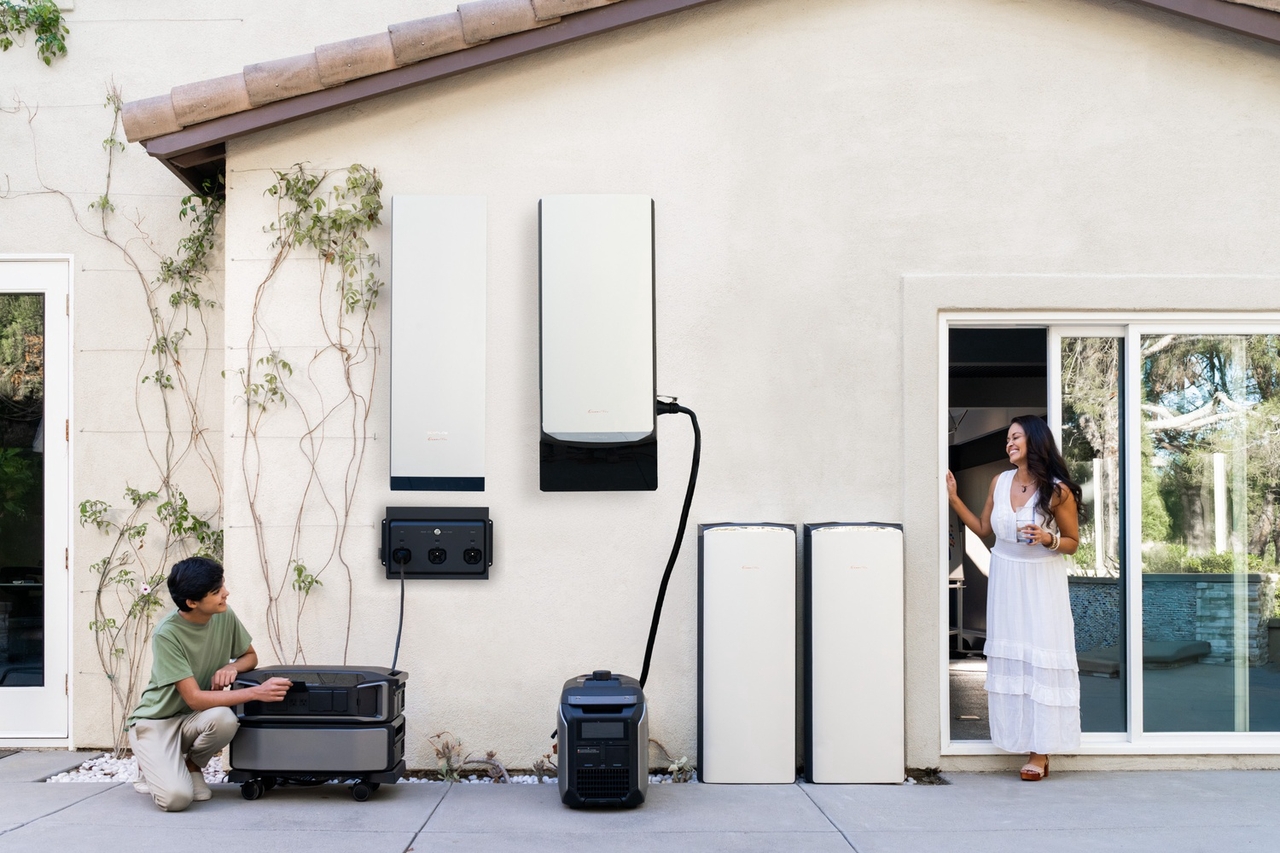
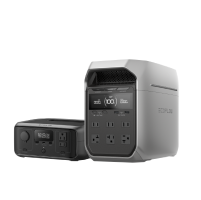
For a completely seamless approach, you can upgrade your home with a smart energy system. The EcoFlow OCEAN Pro Solar Battery System is an excellent example of this technology. This scalable system can automatically shift your home's heavy electrical loads to off-peak hours. It uses Intelligent Mode to maximize your savings without requiring any manual effort from you. It stores cheap energy and deploys it when rates are high.
Are you ready to resolve your uncertainty about home battery backups? We can help you protect your modernized property. Request a consultation today to find the perfect energy solution for your home.
Get Your Free Home Energy Consultation!
Which energy solution are you interested in?
Upgrading to High-Efficiency Appliances
Another great strategy is to look at the machines inside your house. Older appliances have to work much harder to do their jobs, which means they drain a lot of electricity.
Consider replacing older, energy-draining refrigerators, water heaters, or HVAC (heating and cooling) units. When you shop for replacements, always look for Energy Star-certified models. These specific models are tested and proven to require significantly less electricity to perform the exact same tasks. While buying a new appliance costs money upfront, the long-term savings on your monthly utility statement will eventually pay for the upgrade.
Improving Home Insulation and Sealing Drafts
You do not always need to buy new technology to save money. Sometimes, simple weekend projects can make the biggest difference. Your heating and cooling system is likely the biggest energy user in your home. If your house has poor insulation or drafty windows, your system has to run constantly to maintain a comfortable temperature.
You can fix this by sealing up the gaps. Detail how applying weatherstripping to the edges of your doors or adding caulking to drafty windows can keep climate-controlled air inside. If you stop the warm air from escaping in the winter and keep the hot air out in the summer, you will greatly reduce the workload on your HVAC system. This leads to a noticeably lower energy bill at the end of the month.
Troubleshooting Common Online Payment Issues
Even the best digital portals experience hiccups from time to time. If you run into trouble while trying to manage your account, do not panic. Here is some actionable advice on what to do if the website is down or a transaction fails.

Login and Portal Access
If the site seems to hang, or if a page refuses to load, the first step is to clear your web browser's cache and cookies. Sometimes, old internet data can cause website glitches. If that does not work, try using a completely different browser, like switching from Chrome to Safari.
If you simply forgot your password, look for the "Forgot Password" link on the login screen. You will usually just need to enter your email address to receive a secure reset link.
Verification Errors
Sometimes, you might try to use the guest checkout feature and receive a message saying your account number is not recognized. If this happens, carefully re-read your paper statement. Make sure you are typing the exact 10-digit number without any spaces or dashes. Also, confirm that your service ZIP code perfectly matches the address where the energy is actually being delivered, not a separate mailing address you might use.
Payment Posting Delays
If you submitted a payment but your balance has not updated yet, be patient. Credit card payments usually process very quickly, but direct bank transfers (using your routing and checking account numbers) can take longer. It is completely normal for a bank transfer to take 24 to 48 hours to reflect on your online balance. If it has been more than three days and the money has left your bank but has not appeared on your utility account, you should contact customer service for a quick verification.
Conclusion
Managing your monthly utility expenses is a vital part of running a household. By learning the best National Grid US pay bill online methods, you take the hassle out of paying for your power. Registering for a secure digital account takes only a few minutes and opens the door to easy management. Whether you choose the reliable consistency of AutoPay or the speed of guest checkout, the choice is entirely in your hands.
Furthermore, by taking the time to decode the difference between supply and delivery charges, you empower yourself to make smarter choices. Implementing cost-saving strategies, like upgrading your insulation or exploring smart battery backups, will protect your budget in the long run. If you ever run into digital errors, you now have the troubleshooting knowledge to fix them quickly. Stay proactive, monitor your usage, and enjoy the convenience of managing your energy from the comfort of your computer or smartphone.
FAQs
How do I do a National Grid pay bill online?
You can pay online by creating a digital account on the official website using your 10-digit account number. Once logged in, navigate to the payment section to add a bank account or credit card and submit your monthly payment securely.
Can I pay a National Grid bill online without logging in?
Yes, you can use the guest checkout feature. You simply enter your account number and service ZIP code. For example,if you are busy monitoring your home energy storage system's battery levels, you can just use guest checkout to pay your utility quickly.
Why is my online National Grid payment not processing?
Payments may fail due to typing errors in your account number or expired credit card details. Browser glitches can also cause issues. Try clearing your cache, checking your banking details, or trying a different web browser.
How long does an online payment take to post?
While credit and debit card payments often process within a few hours, bank account transfers can take up to 24 to 48 hours to reflect on your balance. Always plan ahead to avoid missing your official due date.
Is there a fee for paying National Grid online?
Typically, paying directly from your checking or savings account is free. However, using a credit or debit card through the online portal may incur a small third-party processing fee. Check the payment screen for exact fee details before confirming.

