
How to Read Electric Meter: Step-by-Step kWh Guide
Learning how to read electric meter readings can help you understand where your energy dollars are going. Many homeowners struggle to track electricity usage, compare bills, or identify unexpected spikes in power consumption. By understanding your meter, you can monitor energy habits, estimate costs, and make informed decisions about reducing electricity expenses. This guide explains how electric meters work, how to read different meter types, and how to calculate your household energy usage accurately.
What is an electric meter and what does it measure?
An electric meter is a device that measures the amount of electricity used by your home or business. It records energy consumption in kilowatt-hours (kWh), the standard unit used on utility bills. One kWh equals the energy consumed by a 1,000-watt appliance running for one hour. Because kWh reflects actual electricity usage over time, utility companies use it to calculate your monthly charges accurately.
The meter continuously tracks power consumption and maintains a cumulative reading that increases as electricity is used. Utility providers compare current and previous readings to determine how much energy was consumed during a billing period. Electric meters are typically located on an exterior wall near the main electrical panel, although some may be installed in utility rooms, basements, or dedicated meter cabinets.
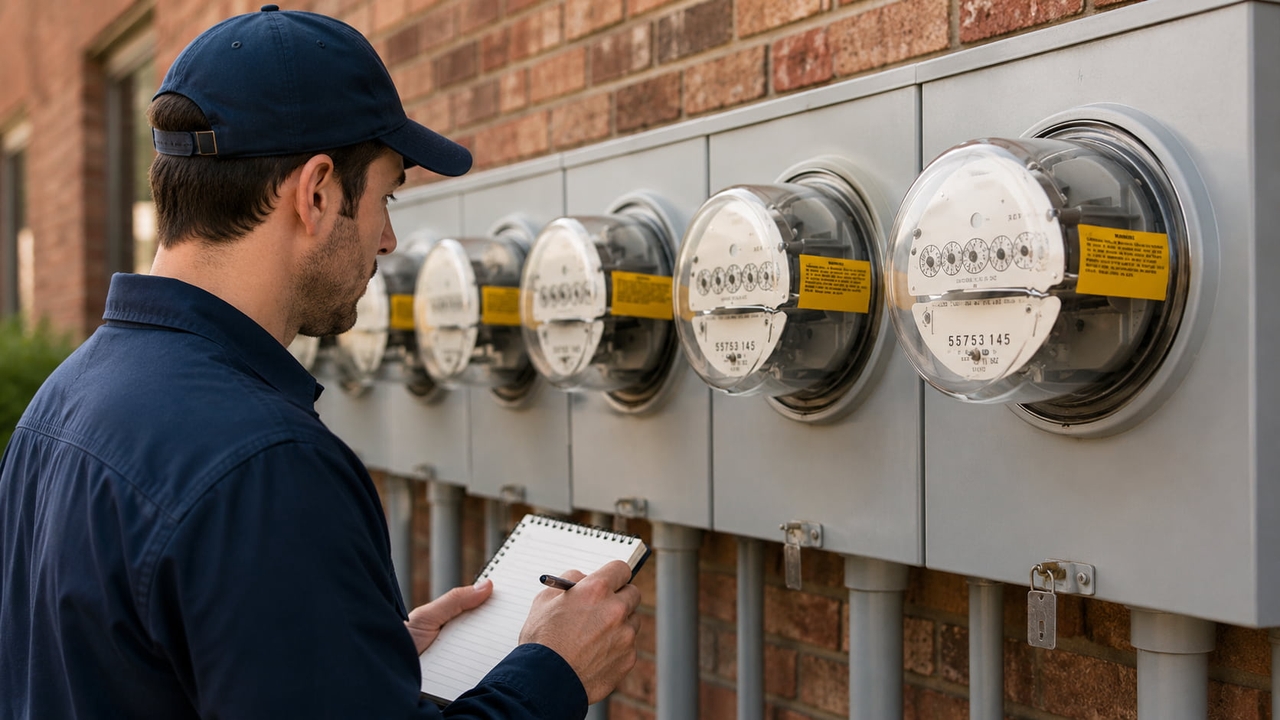
Types of electric meters
Electric meters come in several types, each measuring and displaying electricity usage differently for billing and energy monitoring.
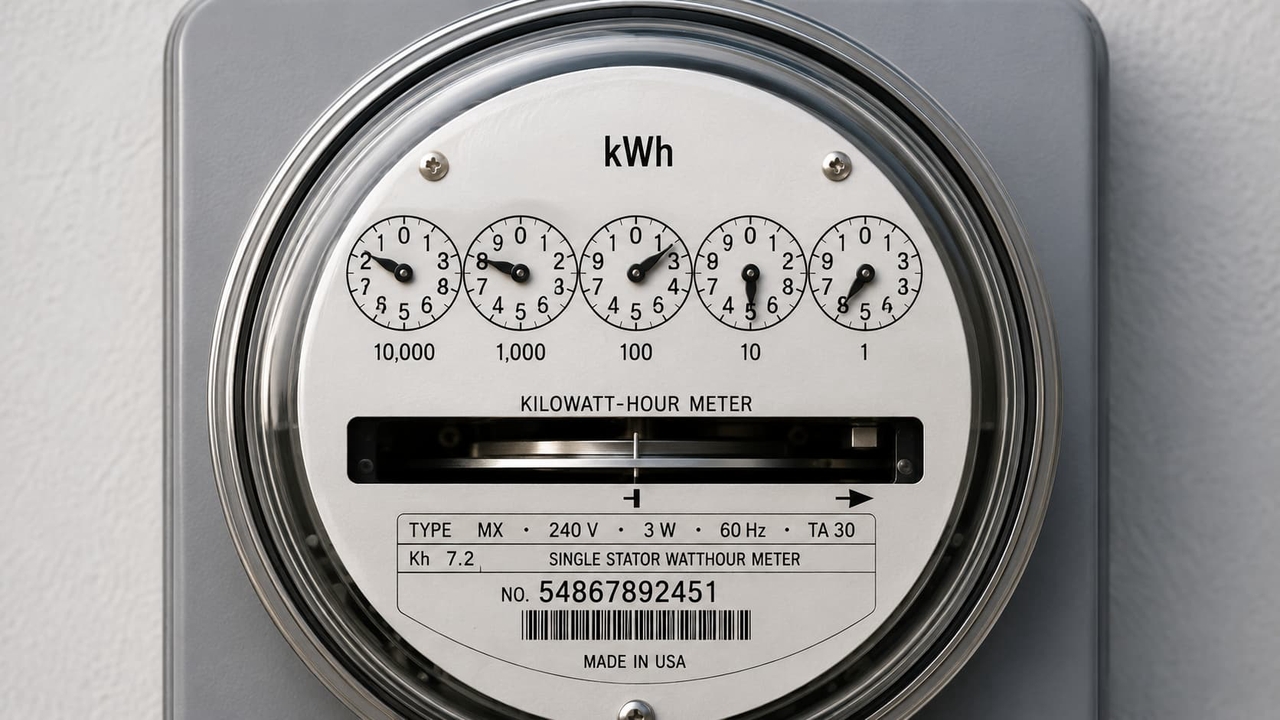
Analog (electromechanical) dial meters: Analog electric meters use spinning mechanical dials, similar to an odometer, with no digital screen. Gears inside move as electricity flows through, and you read the dial positions manually to determine your total usage.
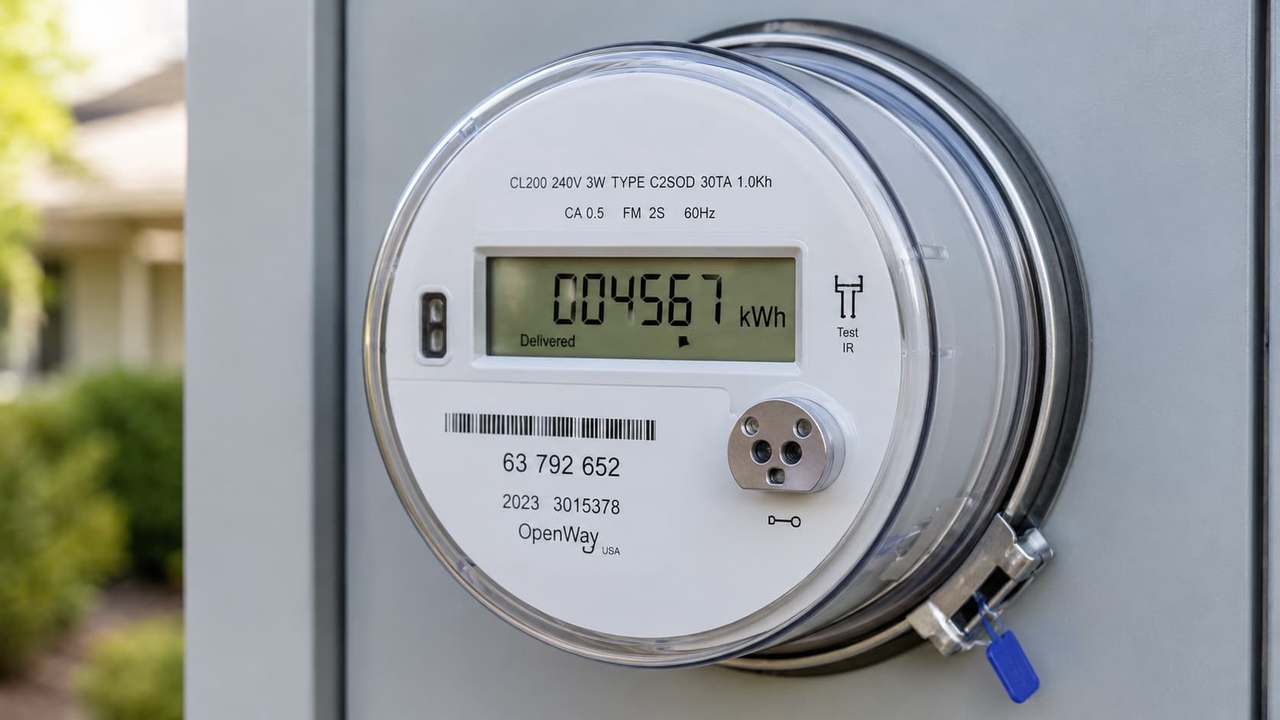
Digital LCD meters: Digital electric meters display energy usage on an electronic screen, making readings easier to understand. The LCD display typically shows total kWh consumption and may cycle through additional information such as time-of-use data, demand readings, or billing period information.
Smart meters/Advanced Metering Systems (AMS): Smart meters are advanced digital meters that automatically transmit electricity usage data to the utility company. They provide more accurate billing, support real-time monitoring, and allow homeowners to access detailed energy consumption insights through online portals or mobile apps.
Solar/net metering (bidirectional meters): Bidirectional meters are designed for homes with solar power systems. They measure both the electricity imported from the grid and the excess solar energy exported back to it. This enables net metering programs, where homeowners can receive credits for surplus electricity generated by their solar panels.
How to read your electric meter: Step-by-step
Learning how to read kWh meter readings is easier than you might think. Follow these simple steps to accurately track electricity usage, verify bills, and monitor your home's energy consumption.
How to read an analog electric meter (Dial Meter)
Analog dial meters are the traditional type still found in many homes. Reading them correctly takes a bit of practice but follows a simple process.
Locate all the numbered dials on the meter face.
Read the dials from left to right and note each number indicated by the pointer.
If a pointer falls between two numbers, record the lower number.
If the pointer is exactly on a number, check the dial to its right to confirm whether the number has been passed.
Write down all recorded numbers in sequence to get the complete meter reading.
Example: If the dials show 7, 4, 8, 2, 9 from left to right, your reading is 74,829 kWh.
How to read a digital electric meter
Digital electric meters display electricity usage on an LCD screen, making them easier to read than traditional dial meters. Most models show total kWh consumption and other usage data.
Locate the main kWh display on the LCD screen, usually clearly labeled as total kilowatt-hours.
Check for display codes that show time, on-peak usage, off-peak usage, or total kWh.
Press the button on the meter (if required) to cycle through different display modes until you see the total kWh reading.
Record the total kWh value shown on the screen.
How to calculate your energy consumption
Calculating your energy consumption is simple once you know how to read your meter. Start by recording a baseline meter reading and noting the date. After a set period, such as a week or month, record the new reading. Subtract the earlier reading from the latest reading to determine the total electricity used in kilowatt-hours (kWh).
Example:
Meter reading on June 1: 12,450 kWh
Meter reading on July 1: 12,980 kWh
Calculation:
12,980 − 12,450 = 530 kWh
This means your household used 530 kWh of electricity during the month. You can then compare this figure with the kWh usage listed on your utility bill. If the numbers are close, your calculations are accurate. Significant differences may indicate estimated readings, billing cycle variations, or utility adjustments.
Monitor and manage your power consumption smarter
Reading your electric meter helps you understand how much energy you use, but advanced energy management solutions can provide deeper insights and greater control over your household consumption. By combining real-time monitoring with energy storage, homeowners can reduce electricity costs, improve efficiency, and stay prepared for power outages.
The EcoFlow Ocean Pro home solar battery is a powerful all-in-one system designed for efficient storage, high-capacity solar integration (up to 40kW input), expandable capacity from 10kWh to 80kWh, and reliable whole-home backup with 24kW continuous output. With Intelligent Mode, the system learns your energy habits and automatically optimizes when to draw from solar, battery, or grid power, helping cut your bills and, in some regions, even earn money back by selling stored energy to the grid.
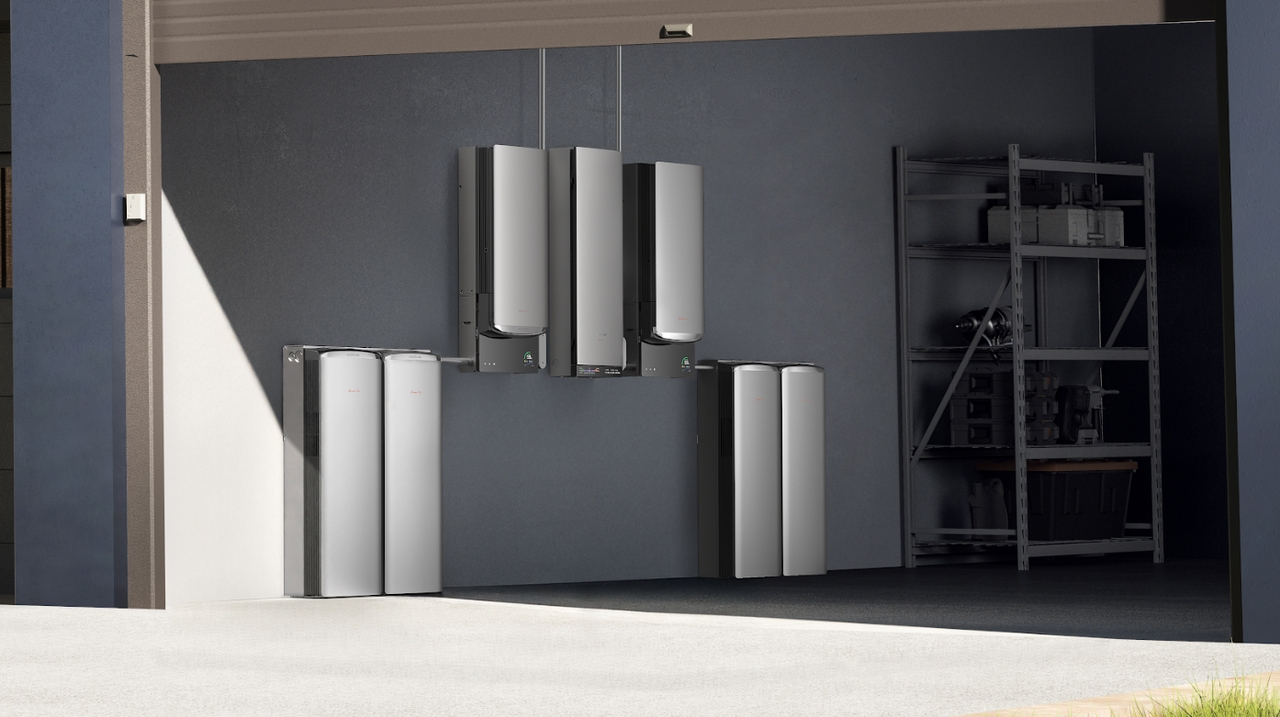
To see all of this in action, the EcoFlow PowerInsight 2 Monitor gives you a real-time window into your home's energy system. Its 11-inch touchscreen displays solar generation, home consumption, and battery charge and discharge at a glance. With Matter 1.4 support, it lets you control compatible lights, thermostats, plugs, EV chargers, and heat pumps from the same screen. Voice control adds another layer of convenience, letting you ask for an energy report or adjust settings hands-free.
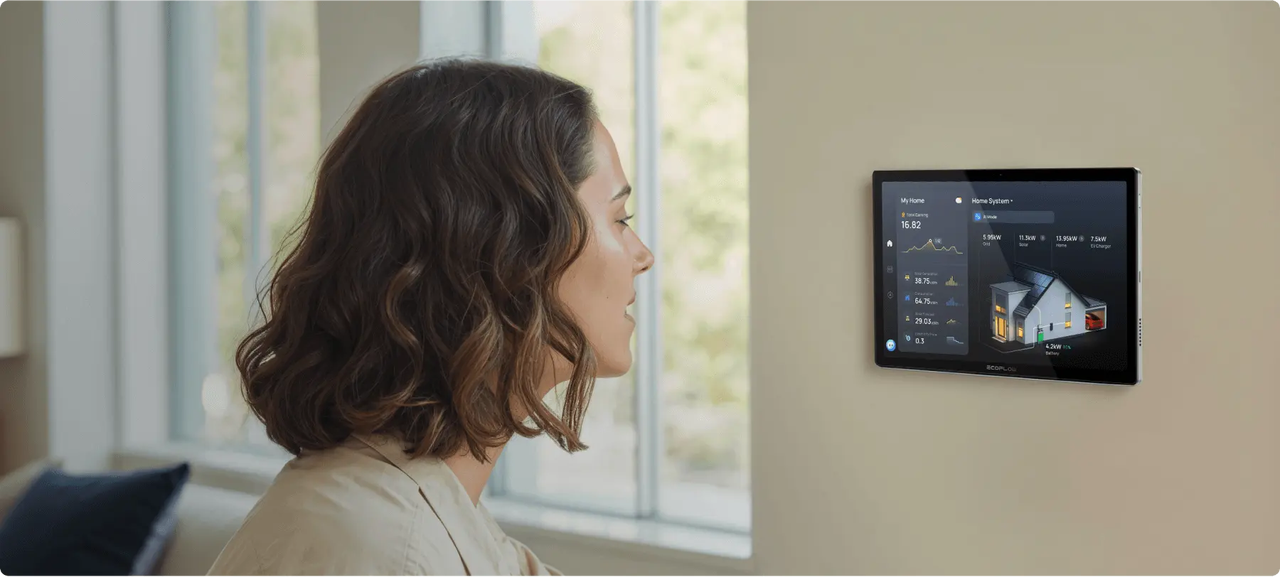
Together, these solutions deliver key benefits: substantial cost savings through optimized energy use, precise real-time monitoring of your power consumption, and robust outage protection for uninterrupted power when you need it most.
Common meter reading mistakes to avoid
Even simple mistakes can throw off your meter power consumption tracking, so keep these common errors in mind before you record your next reading.
Misreading dial direction: Analog meter dials often rotate in alternating directions. Assuming every dial moves the same way can result in incorrect reading. Always check each dial individually before recording the number.
Confusing cumulative total with monthly usage: Meters display the total amount of electricity consumed over their lifetime, not the amount used during a single month. To calculate monthly usage, subtract the previous reading from the current reading.
Ignoring estimated vs. actual reads on your bill: Some utilities estimate your usage instead of taking an actual reading every month. Check your bill for a note indicating an estimated read, since this can cause discrepancies you'll want to follow up on.
Never tampering with or repairing the meter yourself: Electric meters are utility-owned devices and contain electrical components that can be dangerous. Never attempt to repair, modify, or bypass a meter. If you suspect a problem, contact your utility provider or a qualified electrician.
Conclusion
Learning how to read an electric meter helps you better understand your household's energy consumption and verify the accuracy of your utility bills. Whether you have an analog, digital, or smart meter, the process involves recording readings, tracking kWh usage over time, and comparing the results with your monthly invoice. Regular monitoring can help identify energy-wasting habits and uncover opportunities to reduce costs.
By combining these skills with smart energy solutions like the EcoFlow Ocean Pro home solar battery and PowerInsight 2 Monitor, you can enjoy real-time insights, intelligent energy optimization, solar storage, and reliable whole-home backup. These tools maximize savings and provide peace of mind during outages.
Ready to eliminate high electric bills for good? Schedule your free energy consultation today to design the perfect smart setup for your home!
FAQs
How to read a basic electricity meter?
Locate your meter and record the displayed kWh reading. For analog meters, read each dial carefully and note the lower number when a pointer falls between two digits. For digital meters, simply record the total kWh shown on the screen.
What does kWh mean on my electric meter?
A kilowatt-hour (kWh) is the standard unit used to measure electricity consumption. One kWh equals the energy used by a 1,000-watt appliance running for one hour. Utility companies use kWh readings to calculate your electricity bill.
How often should I read my electric meter?
Most homeowners should read their electric meter at least once a month to verify utility bills and track energy usage. Weekly readings can provide a clearer picture of consumption patterns and help identify unexpected increases.
What do the different codes on a digital electric meter mean?
Digital meters may display codes for total kWh usage, date, time, on-peak and off-peak consumption, demand readings, or solar export data. The exact meanings vary by meter model and utility provider, so consult your meter guide if needed.
What should I do if my meter reading is between two numbers?
If an analog meter pointer falls between two numbers, always record the lower number. For example, if the pointer is between 4 and 5, record 4. This ensures accurate reading and follows standard utility meter-reading practices.

