
Uninterruptible Power Supply (UPS): How to Keep Your Home Powered During a Blackout
There’s nothing quite like the collective “sigh” of a British neighbourhood when the streetlights flicker and die during a November gale. Whether it’s a localised fault in the Cotswolds or a broader grid strain in London, power cuts are more than just an excuse to find the tea lights; they’re a massive disruption to our digital lives. In this guide, we’ll explore the world of Uninterruptible Power Supplies (UPS)—from how they act as your home’s silent guardian to why a smart. We’ll cover everything from calculating your wattage needs to achieving a seamless 0ms transition that keeps your router humming and your food frozen, no matter what the weather’s doing outside.
What is a UPS and How Does It Work?
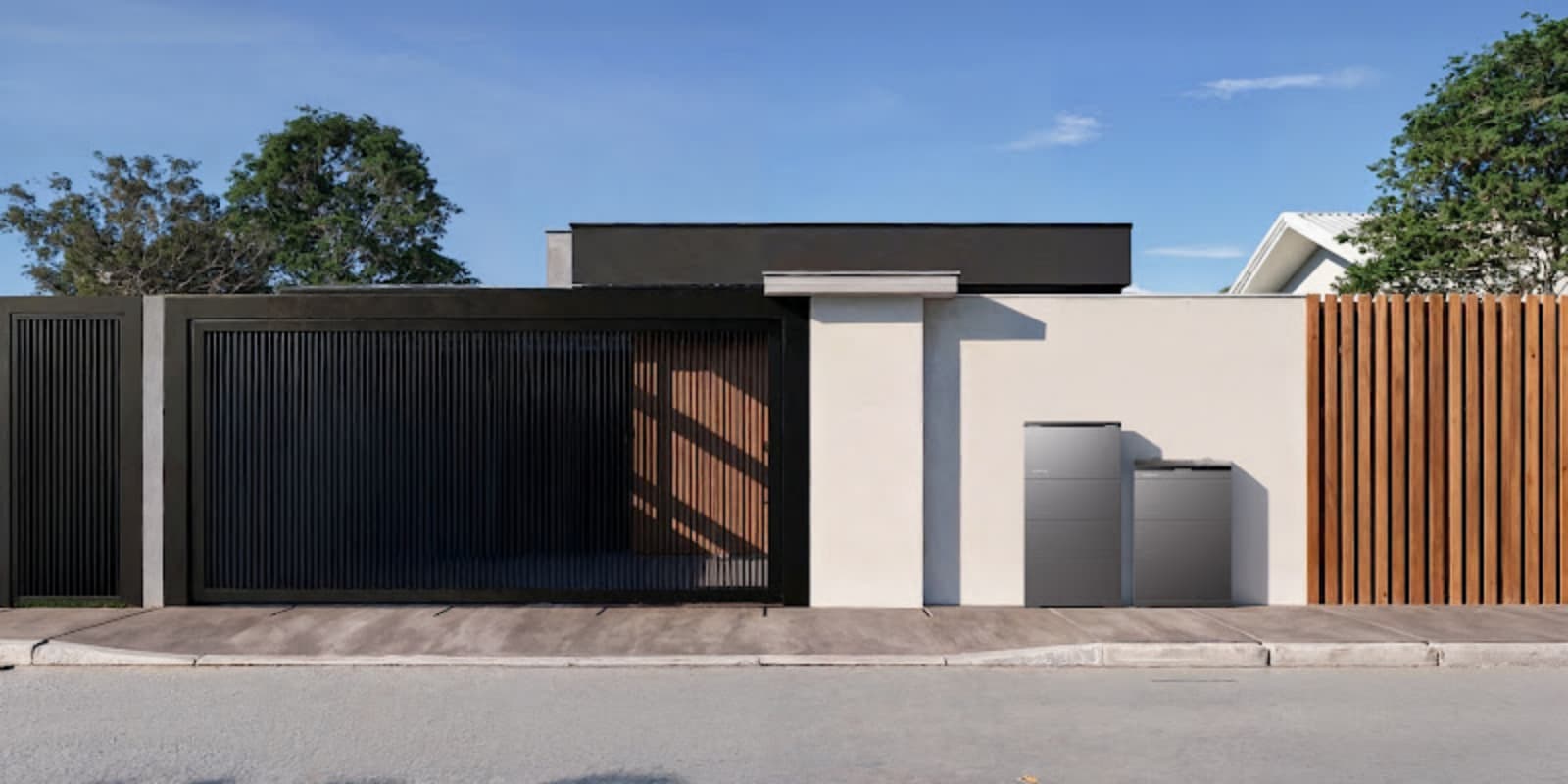
Before we get into whether you need one, here’s how it works. A UPS plugs in between the grid and your gear. It keeps an eye on the power, evens out any little wobbles and takes over straight away if the mains dies.
Store backup energy inside battery cells
At its core, a UPS is a reservoir. It pulls electricity from your mains during normal operation and stores it within high-quality battery cells (typically Lithium Iron Phosphate in modern units), acting as a reliable home battery storage unit ready to be discharged the millisecond the grid fails.
Convert battery power for home appliances
Batteries store energy as DC – direct current. But your kettle, TV, and other appliances run on AC, alternating current. A UPS uses an internal inverter to convert the stored DC into usable AC. Your appliances won’t notice the difference between grid power and battery backup.
Monitor the main grid status constantly
A UPS acts like a sentry. It constantly samples the incoming voltage from the grid. If it detects a “brownout” (a dip in voltage) or a total blackout, it triggers an immediate response.
Switch to backup power automatically
This is the “Uninterruptible” part. The system detects a failure and switches the power source from the grid to the internal battery. In premium systems, this happens so fast that your digital clocks won’t even blink.
Protect electronics from sudden voltage surges
UK storms often send power surges through the line – the kind that can fry a sensitive motherboard. A UPS sits in between, smoothing out those spikes so only stable, safe power reaches your expensive gear.
How Can a UPS Prevent Power Interruptions?
We often don’t realise how much we rely on a steady flow of electrons until the Wi-Fi drops out mid-Zoom call. A well-placed UPS system protects the “rhythm” of your home life.
Keep LED lighting systems running
No more fumbling for torches in the dark. A UPS can keep your essential lighting circuits active, ensuring your hallways and kitchens remain safe and navigable.
Keep internet routers connected during outages
For the “work-from-home” crowd, a router reboot can mean a 10-minute delay and a dropped meeting. A UPS keeps your connection live, even if the rest of the street is in darkness.
Prevent food spoilage in kitchen refrigerators
The British Sunday roast is safe. By keeping your fridge-freezer running during an outage, a UPS prevents the internal temperature from rising, saving you from a costly (and messy) clear-out of spoiled groceries.
Save desktop progress before data loss
If you’re a creative or a gamer, a sudden shutdown is the enemy. A UPS gives you the crucial minutes (or hours) needed to save your work and shut down your PC safely, preventing hardware damage.
Maintain home security and alarm systems
Security doesn’t stop just because the power’s gone. A UPS keeps your CCTV cameras and alarm sensors active, so you stay covered when you’re most at risk.
What Are Your Power Needs During a Blackout?
A flat in Manchester has different energy “appetites” than a detached house in the Highlands. Understanding the average home power consumption in the UK can help you baseline your own requirements before a blackout hits.
| Appliance | Average Wattage | Priority Level |
|---|---|---|
| Wi-Fi Router | 10-20W | Critical |
| Laptop / iMac | 60-150W | High |
| Fridge-Freezer | 100-200W | High |
| LED Light Bulb | 8-12W | Medium |
| 55" OLED TV | 150-200W | Low |
Calculate total household wattage requirements
Start by listing the “must-haves.” Add up the wattage of your essential appliances (check the stickers on the back of the devices). This “peak load” determines how powerful your UPS needs to be.
Estimate runtime based on battery capacity
Capacity is measured in kilowatt-hours (kWh). If you have a 5kWh battery and your essential load is 500W, you’ll theoretically have 10 hours of backup.
Determine required backup runtime hours
Ask yourself: how long do outages usually last in your area? If you’re in a rural area prone to long repairs, you’ll want a larger battery capacity than someone in a city where the grid is usually back up within the hour.
Balance essential and non-essential loads
You don’t need the tumble dryer during a blackout. By separating your “essential loads” (lights, internet, fridge) from “heavy loads” (electric heating, ovens), you can make your backup power last significantly longer.
.png)
How Can You Make Your Backup Power Smarter?
The old days of clunky, lead-acid battery boxes in the garage are over. Modern home energy management system technology is now sleek, intelligent, and highly automated, transforming a simple backup battery into a responsive hub for your entire property.
Connect to a backup energy system
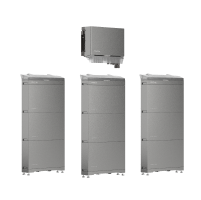
Achieving a truly “seamless” power experience requires a robust energy heart. This is where the EcoFlow OCEAN 2 Plus comes into its own. Designed specifically as an all-in-one backup solution, it tackles the unique challenges of UK homes—like our complex rooflines—using triple MPPT technology to squeeze every drop of energy from the rare British sunshine.
The standout feature? A 0ms switchover time. While standard UPS systems might take 10-20ms (enough to make a PC flicker), the OCEAN 2 Plus is instantaneous. Whether it’s your high-end home cinema or a delicate home office setup, your electronics won’t feel a thing when the grid drops. Its slim, stackable design means you don’t need an ugly external backup box, saving precious space in your utility room while offering a 15-year investment in reliability.
Control appliances through central dashboards
Managing your energy shouldn’t be a chore. The EcoFlow PowerInsight 2 serves as your home’s “brain.” Featuring an 11-inch HD touchscreen, it visualises your solar generation and battery levels in real-time. It’s more than just a monitor; it’s Matter-compatible, allowing you to dim the lights or adjust your smart radiators directly from the screen. With its built-in AI assistant, a simple “Hey EcoFlow” lets you pivot your energy strategy instantly. Plus, with its improved battery life, you can mount it on the wall like a piece of art, making energy tracking as intuitive as checking the BBC weather forecast.
Automate savings during peak electricity hours
Smart systems can “arbitrage” the grid. They charge when electricity is cheap (off-peak) and power your home during the expensive “tea-time” peak hours, automatically lowering your monthly bills.
Forecast solar output using weather data
By integrating with local weather feeds, your UPS can “anticipate” a storm. If the forecast looks grim, it will prioritise topping up its batteries to 100% before the clouds arrive.
Adjust power settings through voice assistants
“Alexa, how much backup do I have?” Integration with smart home ecosystems means you can manage your home’s resilience with simple voice commands, making tech accessible for the whole family.
How Do You Start Building Your Backup System?
Want to keep the lights on when the grid fails? It takes a bit of planning – but nothing too complicated.
Measure where the battery will go
Systems like the OCEAN 2 Plus are fairly slim, but you still need a clear, ventilated spot. Most people use a utility room, a dry garage, or the cupboard under the stairs.
Check your fuse box compatibility
The UPS needs to talk to your consumer unit. An electrician will wire your essential circuits to the backup output – the lights, the fridge, the broadband.
Add solar for long-term charging
If you want proper off-grid power, pair the U.S with solar. This demonstrates how a solar battery backup system reduces grid dependence by allowing the panels to charge the battery during the day so you can run off that at night.
Test the system regularly
Don’t wait for a storm to find out it doesn’t work. Most smart systems have a self-test mode. Run a simulated blackout once every few months to make sure the batteries and switchover time are still doing their job.
Schedule Your Free Consultation Today!
What kind of product or solution are you interested in?
Conclusion
A UPS is a practical addition to any UK home that wants to stay running during an outage. Work out what you need to power, then pick something like the EcoFlow OCEAN 2 Plus and PowerInsight 2. A power cut stops being a drama – no lost work, no ruined food, no sitting in the dark. You just carry on as normal.
FAQ
1. How many hours can a UPS last without power?
A UPS can last anywhere from 10 minutes to over 24 hours, depending on the battery capacity and the number of appliances you are running. For example, a small desktop UPS might only provide enough time to save work, while a whole-home system like the EcoFlow OCEAN 2 Plus can power essentials for an entire day or more.
2. Is UPS better than a generator for a house?
Yes, for most modern homes, a UPS is superior because it provides instantaneous power with zero noise or emissions. Unlike generators, which require fuel storage and take time to start up, a UPS ensures your electronics never lose power for even a millisecond.
3. How to tell if UPS battery needs replacing?
Most modern UPS systems will alert you via a mobile app or a dashboard like the PowerInsight 2 when battery health declines. Physical signs include the battery taking longer to charge or the system struggling to hold a load during a self-test.
4. Do you need an electrician to install a UPS?
For small, “plug-and-play” units for a single PC, you do not; however, for whole-home systems that integrate with your wiring, a qualified electrician is essential. Using an MCS-certified professional ensures the system is safe and complies with UK electrical standards.

