
Top Up Smart Meter: How UK Households Can Better Manage Energy Payments and Costs
Smart prepayment meters can make it easier to add credit without having to visit the meter with a traditional physical key or card, although some suppliers still provide a smart payment card. Many households with smart prepayment meters can top up online, through their supplier’s app, by phone or at a local payment point, depending on the supplier and payment service available. This guide explains how smart meter top-ups work, what to do if your credit runs low, and how to manage your energy use and costs more effectively.
Key Takeaways
Flexible top-up options: Many smart prepayment meters support top-ups through a supplier's app or website, by phone, or at participating payment points. The options available depend on your supplier and meter setup.
Help if your credit runs low: Emergency and supplier support depending on your meter and supplier, emergency or additional support credit may be available if your balance is running low. It's worth knowing what you're entitled to and how to access it, so you're not caught short.
Keep an eye on your usage: An in-home display (IHD) is a handy tool for spotting when your electricity or gas use spikes – whether it's the kettle, the heating or an appliance you'd forgotten about.
Reducing grid electricity use: Small efficiency measures and a suitable tariff can help control energy costs. For some homes, solar and battery storage can further reduce the amount of electricity drawn from the grid.
What Does It Mean to Top Up a Smart Meter?
A smart prepayment meter works on a pay-as-you-go basis, so you add credit before using gas or electricity. With a smart meter, most top-ups can be made remotely without inserting a physical key or card into the meter.
Prepayment Smart Meter Top-Up Methods
Unlike legacy meters that relied on physical plastic keys or magnetic cards inserted into a wall box, Smart meters in Great Britain communicate with suppliers through the secure smart metering communications network operated by the Data Communications Company (DCC). When you add money online, through an app, or at a shop counter, the credit is normally sent to the meter automatically, although the time it takes to appear can vary by supplier, payment method and meter setup.
Smart Meter Balance and Payment Options
Smart meter customers are generally offered an In-Home Display (IHD), which can show information about energy use and, where supported, prepayment credit. Depending on your setup, it can show information such as your remaining prepayment balance and current or recent energy use. Some suppliers also offer automatic or scheduled top-up options, while others require you to make payments manually. Knowing how to read a smart meter also helps you distinguish your energy readings from your remaining credit.
Low Credit Alerts and Emergency Credit
Hearing the IHD chime when you are midway through cooking dinner can be unsettling, but your power will not vanish instantly. Your supplier may provide low-credit alerts when your balance falls below a set threshold. The threshold and alert method can vary by supplier and meter.
Should your credit hit zero, you can activate Emergency Credit directly via your IHD or supplier app. This can provide a temporary credit buffer, with the amount and activation method depending on your supplier and meter.
A quick heads-up: Emergency credit is temporary credit that normally has to be repaid through future top-ups. Any emergency or additional support credit you use, together with applicable standing charges or other outstanding amounts, may be recovered from future top-ups according to your supplier’s terms.

How Can You Top Up a Smart Meter in the UK?
Smart prepayment meters can often be topped up through a supplier’s app or website, by phone, or at participating payment points. Available options vary by supplier. The available methods and minimum top-up amounts vary by supplier.
| Top-Up Channel | Processing Speed | Typical Use | Best Suited For |
|---|---|---|---|
| Supplier App / Website | Often available | Convenient card or bank payments from home | Quick card or bank payments from home |
| PayPoint / Post Office | Supplier-dependent | Convenient card or bank payments from home | Paying with cash or debit card locally |
| Automated Phone Line | Supplier-dependent | Useful when you prefer to top up by phone | Quick top-ups without an internet connection |
| Autopay / Scheduled | Supplier-dependent | Helps reduce the risk of running out of credit | Hands-off management linked to payday |
Top Up Through Apps and Online Accounts
Major UK suppliers such as British Gas, Octopus Energy, E.ON Next, OVO Energy and EDF offer customer apps, although the top-up features available to smart prepayment customers vary by supplier. Once your account and payment details are set up, topping up can usually be completed quickly through the app or online account. Simply select your fuel (gas or electricity), choose your amount, and hit confirm. The payment is then processed and the credit is sent to the smart meter through the supplier’s metering system.
Use a Key or Smart Meter Top-Up Point
Prefer using cash? You are not tied to an online account. Depending on your supplier, you may have a smart top-up card, a 19-digit prepayment account or payment number, or a digital barcode for in-store payments. Take the relevant card, barcode or payment number to a participating PayPoint, Payzone or Post Office location, if your supplier supports that payment method. Pay the cashier, take your receipt, and the credit will be sent over the air to your meter.
Tip: Keep the receipt because it may contain a 20-digit payment or vend code that can be used to manually add the credit if the automatic top-up does not reach the meter. The exact process depends on your supplier and meter.
Check Your Balance After Payment
Once payment goes through, glance at your In-Home Display. Your credit should normally update automatically, but the time can vary. Some suppliers may allow you to enter a payment code manually if the credit does not appear. If the IHD does not update, check your supplier’s guidance first, as the issue may relate to the meter connection or payment processing rather than the display itself.
How Can Households Reduce Smart Meter Top-Up Costs?
Using less energy can help your credit last longer. Depending on your tariff and home energy setup, you may also be able to reduce costs by shifting electricity use to cheaper periods or using more solar energy at home.
Track Electricity Use and Identify High-Consumption Periods
Your IHD can make energy use easier to understand by showing consumption and, depending on the device and supplier, estimated costs. Walk around your home and switch appliances on and off while watching the IHD’s energy-use indicators. You may quickly identify some of the appliances that use the most electricity:
Tumble dryers and fan heaters running continuously.
Old secondary fridges or freezers humming away in utility sheds.
Kettles boiled full for just one cup of tea.
Pinpointing these spikes helps your household build conscious habits that protect your daily balance. Checking how much electricity a washing machine uses can also help you plan laundry around your energy budget.
Shift Electricity Use to Lower-Cost Periods
If your supplier offers a multi-rate or time-of-use tariff (such as Economy 7 or dynamic smart tariffs), electricity can cost less during off-peak hours, during the off-peak period set by your tariff, which can vary by supplier, location and season. Using eligible appliances during those lower-rate periods can reduce the cost of the electricity they consume, provided your tariff offers cheaper off-peak rates.
Use Solar and Battery Storage to Reduce Grid Electricity Use
Beyond altering your daily schedule, installing a rooftop solar array paired with battery storage can reduce your reliance on grid electricity and help you use more of your solar generation at home. A dedicated storage system like the EcoFlow OCEAN 2 Plus Single-Phase can store surplus solar generation during periods of solar production for use later, such as in the evening.
Instead of watching your smart meter balance drain while cooking dinner or running the washing machine after work, your home runs directly on stored clean energy. Using stored solar energy can reduce the amount of electricity you buy from the grid and may help lower your top-up costs, depending on your energy use, tariff and system size.
Monitor Solar, Battery and Grid Energy Flows
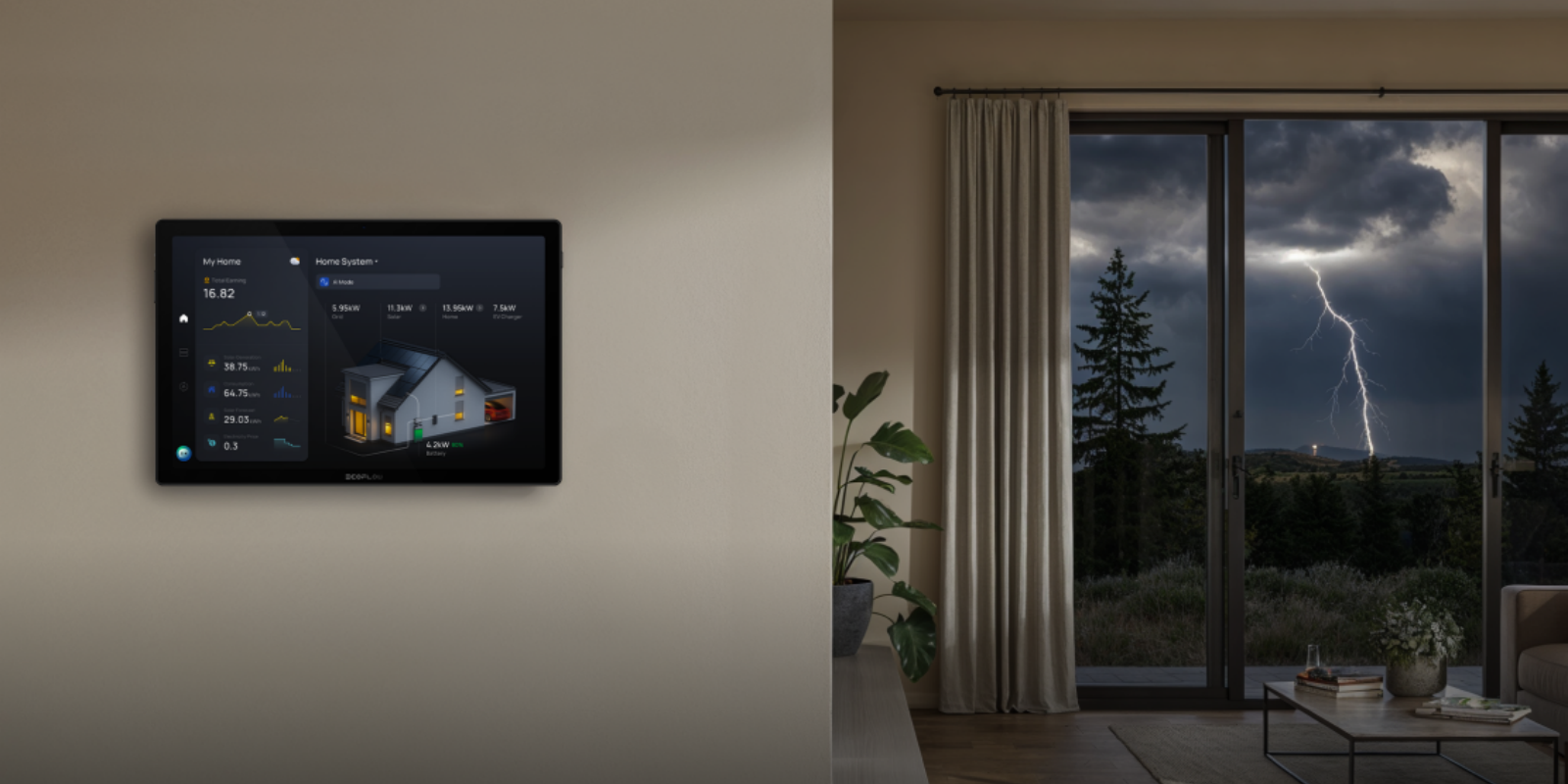
Lowering dependence on grid energy is only half the battle; real-time visibility is what keeps costs predictable. Smart energy monitors such as the EcoFlow PowerInsight 2 can help bring information about household energy use, solar generation and battery status into one view.
By seeing exactly where every watt goes in real time, you can intelligently adapt your daily power use, optimise battery charge cycles, and make more informed decisions about when and how you use electricity, which may help you manage your smart meter balance more predictably.
What Else Can UK Households Do to Control Energy Costs?
Regularly checking your balance, heating settings and energy tariff can make prepayment costs easier to manage. It is also important to know what support is available if you are struggling to keep your meter in credit. For households combining solar, storage and smart energy management, an integrated Home Energy Ecosystem can help coordinate these technologies.
Set a Regular Top-Up Budget
Daily standing charges apply even if you do not use a single unit of energy. During the summer, it is tempting to spend minimal amounts on gas. However, adding a manageable amount of credit regularly during the warmer months can help build a buffer for periods of higher energy use. When autumn arrives and heating demand increases, this may give you more financial flexibility.
For households looking for longer-term ways to manage electricity costs, solar battery storage can also be part of a broader energy strategy. By storing surplus solar generation for later use, a battery can help reduce the amount of electricity a home needs to purchase from the grid, although the potential savings depend on the system, tariff, household consumption and solar generation.
Avoid Unexpected High Energy Use
Portable electric heaters and immersion heaters can use a lot of electricity when operated for long periods. Their running cost depends on the appliance’s power rating and your electricity unit rate. Reserve electric heaters for brief targeted warmth rather than whole-room heating, and double-check that your water cylinder timer is not set to heat water continuously around the clock.
Adjust Heating and Hot Water Settings
Small mechanical tweaks around the home yield tangible financial relief:
Combi boiler flow temperature: For some condensing combi boilers, lowering the central-heating flow temperature to around 60°C can improve efficiency while maintaining comfortable indoor temperatures, although the appropriate setting depends on the home and heating system.
Radiator thermostatic valves (TRVs): Consider lowering TRVs in rooms that are used less often, while keeping them at a suitable setting for the room and household.
Thermostat reduction: Lowering your thermostat slightly can reduce heating demand and may help lower energy costs, although the savings depend on the property, heating system and how it is used.
Check Energy Tariffs and Available Support
If keeping the meter topped up becomes difficult, get in touch with your supplier immediately. If you are struggling to keep your meter topped up, contact your supplier as soon as possible. Depending on your circumstances, your supplier may be able to offer additional support credit, a repayment plan, payment adjustments or access to hardship support. It is also worth checking your eligibility for government initiatives like the Warm Home Discount Scheme, which can provide eligible households with a £150 discount on their energy costs during the scheme year. For prepayment customers, the support can be credited against future energy use or provided through a voucher or other method, depending on the circumstances.
Schedule Your Free Consultation Today!
What kind of product or solution are you interested in?
Conclusion
Smart prepayment meters can give households more convenient ways to top up and monitor energy use than traditional key or card-based prepayment systems. Keeping an eye on your balance, understanding your tariff and reducing unnecessary energy use can all help control costs. If you are struggling to keep your meter in credit, contact your supplier to ask about emergency credit, repayment options and other available support.
Disclaimer: Energy tariffs, smart-meter offers, payment methods and eligibility can vary by supplier, region and meter type and may change over time. The information in this article is for general guidance only and should not be treated as financial, legal or energy-supply advice. Check the latest terms and prices with your energy supplier and Ofgem before making decisions about your tariff or payments.
FAQs
Can I switch from a prepayment meter to a standard meter?
You may be able to switch from prepayment to standard credit, but the process depends on your supplier and circumstances. Your supplier may carry out a credit check or other eligibility assessment, and any outstanding debt may need to be addressed. Where the smart meter supports remote mode switching, an engineer visit may not be necessary.
Do you get cheaper tariffs with a smart meter?
Having a smart meter installed does not automatically make your electricity unit rates cheaper. Your rates depend on the tariff you choose and, where applicable, the Ofgem price cap. A smart meter can, however, support access to certain time-of-use and dynamic tariffs, which may offer lower rates at specific times. Ofgem’s smart meter guidance explains how smart meters can be used with different types of energy tariffs. Availability and pricing vary by supplier and tariff.
What happens to my credit balance if I switch energy suppliers?
If you have a positive credit balance when you switch suppliers, your old supplier should account for it in your final bill and refund money owed to you. Once your new supplier takes over the meter supply point, you start fresh with their payment platform, and your old supplier must send a final bill within six weeks of the switch under the applicable guaranteed standards.
Do energy suppliers have to refund credit?
If you have credit on a closed energy account, your supplier must take steps to return money owed to you. Ofgem’s guaranteed standards require suppliers to send a final bill within six weeks of a switch and refund a credit balance within 10 working days of sending the final bill. If you remain on a live account with a credit balance, you can ask your supplier for a refund. The supplier should normally refund it promptly unless there are reasonable grounds not to, for example if the balance is needed to cover expected future usage.

