
SMETS1 vs SMETS2: What Is the Difference and Do You Need to Upgrade?
If you’ve taken a glance at your utility bills recently, or had an energy supplier nudge you about an upgrade, you’ve likely come across the terms SMETS1 and SMETS2. Simply put, these represent the first and second generations of smart meters rolled out across the UK. While both aim to eliminate manual meter readings, they handle supplier switches very differently. This comprehensive guide breaks down the technical and practical differences between SMETS1 and SMETS2 hardware, helps you identify which model is currently sitting under your stairs, and explains whether you actually need an upgrade to keep your energy bills under control.
What Is a Smart Meter in the UK?
To understand why smart meters have become increasingly common in UK homes, it helps to first look at what they actually do. Unlike traditional meters that require manual readings, smart meters automatically record your gas and electricity usage and send this information directly to your energy supplier.
How Do Smart Meters Work?
Smart meters track exactly how much gas and electricity you’re using, and they send those readings to your supplier automatically through a secure wireless network. Knowing how much is electricity per kwh can help you better interpret these readings. You also get a little screen called the In-Home Display, or IHD. It sits on your kitchen counter and shows you what you’re spending in pounds and pence, there and then. That way you can spot straight away which appliances are gobbling up the most energy.
Why Did the UK Introduce Smart Meters?
The UK’s smart meter rollout was brought in to make energy bills more accurate and help households keep on top of what they’re using. For practical uk energy bills saving tips, smart meters provide valuable real-time insights. Rather than relying on manual readings or estimates, suppliers get regular updates on actual consumption. Over time, that data also helps build a more flexible energy network by showing when and how electricity is being used across the country.
.png)
What Is a SMETS1 Smart Meter?
The first generation of smart meters in the UK were called SMETS1, which is short for Smart Metering Equipment Technical Specifications 1. They started appearing from 2013 and were the first step in the nationwide rollout.
Common Issues With SMETS1 Meters
The major flaw of SMETS1 meters lies in their localized communication network. They used supplier-specific communication systems, which meant their smart functionality could sometimes be affected when customers switched energy providers. Consequently, when a customer switches to a cheaper tariff with a rival supplier, the meter often loses its “smart” capabilities and goes “dumb”, forcing the homeowner to return to manual readings until the meter is migrated to the national network.
What Is a SMETS2 Smart Meter?
Introduced to replace the limitations of first-generation smart meters, SMETS2 has been the standard for new installations since 2019. The main difference is that SMETS2 meters connect to the national smart metering network, making it easier to keep smart functionality when switching suppliers. This ensures uninterrupted tracking, which is essential for households trying to figure out why is my electric bill so high without losing their historical usage data during a switch.
Why Are SMETS2 Meters Considered More Advanced?
SMETS2 meters are inherently superior because they communicate through a central, independent national network managed by the Data Communications Company (DCC). Because SMETS2 meters connect through the national DCC network, switching suppliers is generally smoother and does not usually require customers to return to manual meter readings.
SMETS1 vs SMETS2: Key Differences Explained
To make it simple, let’s put them side by side and see how they actually compare. The transition from first to second-generation technology resolved fundamental compatibility bottlenecks across the UK grid, as outlined below:
| Feature | SMETS1 (First Generation) | SMETS2 (Second Generation) |
|---|---|---|
| Communication Network | Individual supplier's mobile network (3G SIM). | Centralized national DCC wireless network. |
| Switching Suppliers | Often loses smart functions and goes "dumb". | Seamless switching; stays "smart" always. |
| Rollout Era | Mainly installed between 2013 and 2019. | Standard installation from 2019 onwards. |
| Tariff Compatibility | Limited on original network; fully compatible with smart/EV tariffs once migrated to the DCC. | Full native support for complex, dynamic EV and eco-tariffs out of the box. |
How Do I Know If I Have a SMETS1 or SMETS2 Meter?
Not sure whether your home has a SMETS1 or SMETS2 meter? There are several easy ways to find out, from checking the meter display to looking through information provided by your energy supplier.
Check Your Smart Meter Installation Date
If you want to find out whether your meter is SMETS1 or SMETS2, the installation date can provide a useful clue. Meters installed during the earlier rollout period are more likely to be SMETS1, while those fitted from 2019 onwards are generally SMETS2.
Check Your Meter Details
If you want to be certain which generation you’ve got just by looking at it, check the physical setup rather than the serial number. Serial formats vary a lot between manufacturers.
SMETS1 meters generally work as a single unit, or they connect to a supplier‑specific communications hub that runs on an older 3G SIM card.
SMETS2 setups have a clearly separate Communications Hub fixed directly on top of or right next to the electricity meter. That hub handles the secure link to the national DCC network. On common SMETS2 models like Landis+Gyr or EDMI, you’ll usually see status lights labelled SW, WAN, MESH, and HAN, along with official regulatory marks linking them to the central data infrastructure. The keypads also tend to have standard A and B push buttons, sometimes with a C button, for navigating the display menu.
Can My Supplier Tell Me Which Type I Have?
Yes, your current energy supplier can instantly verify your meter type through your account details. Alternatively, you can log onto Citizens Advice’s free online smart meter checker tool, input your details, and see exactly which generation is operating in your home

Do You Need to Upgrade From SMETS1 to SMETS2?
With all this talk of advanced features, you might wonder if you need to call your supplier immediately for a replacement. The short answer is: you might not have to lift a finger, thanks to major background efforts by the energy industry.
You May Not Need an Upgrade If Your SMETS1 Meter Still Works
The government has been orchestrating a massive remote software upgrade program to link older SMETS1 meters to the national DCC network. If your SMETS1 meter has already been migrated online by the DCC, it will behave exactly like a SMETS2 meter, meaning there is no practical reason to request a physical replacement.
You May Benefit From an Upgrade If:
You should consider a physical upgrade if your SMETS1 meter has gone completely “dumb” after a supplier switch, cannot be migrated remotely due to outdated hardware components, or if you want to sign up for advanced dynamic tariffs like those tailored for electric vehicle (EV) charging or EcoFlow solar battery setups.
Is Upgrading a SMETS1 Meter Free?
Yes, your energy supplier is legally required to replace or upgrade your smart meter free of charge if it is faulty or cannot be integrated into the national network.
Taking Control Beyond the In-Home Display
Upgrading to a SMETS2 meter sorts out the hassle of getting your readings sent to your supplier automatically. But the standard In-Home Display that comes with it can only tell you what you’ve already spent. It can’t actually help you change your habits. To turn that meter data into real savings, you need a way to link your smart meter, appliances, and solar setup together.
That’s where a smart home energy hub like the EcoFlow PowerInsight 2 comes in. Instead of juggling separate apps for your heating, solar, and smart plugs, it pulls everything into one clean, simple dashboard. It works straight out of the box with Matter 1.4 and major smart home platforms like Google Nest and Tado. You can see your solar generation, home demand, and battery storage all in one place. It takes your energy strategy from just checking your meter to actively running a more efficient home.
What Does the Future of Smart Meters Look Like in the UK?
Smart meters are also changing the way energy is priced and managed in the UK. As more suppliers roll out Time of Use tariffs, households are starting to pay different rates depending on when demand on the grid is high or low.
A SMETS2 meter can help you see when electricity’s cheaper and give you a better picture of your usage, but it can’t shift your consumption automatically. To make the most of low‑cost electricity or surplus solar, some homeowners are turning to smart battery systems.
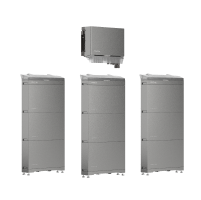
The EcoFlow OCEAN 2 Plus is a good example of how battery storage can fit into a smarter home setup. With three independent MPPT inputs and up to 24kW of PV input, it helps you get more out of solar, even with tricky roof angles or partial shading. Its modular design lets you scale storage up to 60kWh with a single inverter, so you can expand over time for everyday use, EV charging, or running a heat pump.
FAQs
Is SMETS2 better than SMETS1?
Yes, SMETS2 meters are objectively better because they connect to a universal national network, allowing you to switch energy suppliers without losing your automated smart functions. Older SMETS1 meters are tied to specific networks and often stop sending automatic readings if you switch providers.
Can I upgrade my SMETS1 meter myself?
No, you cannot under any circumstances alter or upgrade a smart meter yourself, as it is a criminal offence to tamper with energy infrastructure. You must contact your energy supplier, who will dispatch a certified, qualified technician to perform any necessary hardware upgrades safely.
Will my SMETS1 meter stop working?
No, your SMETS1 meter will not completely stop working, but it may lose its “smart” capabilities and revert to a standard manual meter if you switch suppliers before it undergoes the national DCC network migration. It will continue to record your energy usage accurately regardless of its communication status.
Can I switch energy suppliers with a SMETS1 meter?
Yes, you are entirely free to switch energy suppliers even if you have an older SMETS1 meter installed. However, keep in mind that until your specific meter is migrated to the national DCC network, your new supplier might not be able to read it automatically, meaning you may need to submit manual readings temporarily.
How Long Does a Smart Meter Upgrade Take?
A physical smart meter upgrade typically takes between 1 to 2 hours to complete for both gas and electricity lines. During this window, your power and gas supply will need to be switched off for a short period, so it is best to plan ahead around your daily schedule.
Are all new smart meters SMETS2?
Yes, all brand-new smart meters installed in the UK today are required by industry regulations to be SMETS2 models. Energy suppliers stopped installing first-generation SMETS1 hardware as the standard choice back in late 2019 to ensure universal grid compatibility.
Schedule Your Free Consultation Today!
What kind of product or solution are you interested in?
Conclusion
Understanding the difference between SMETS1 and SMETS2 is key to mastering your household energy budget. While SMETS1 meters introduced us to real-time tracking, SMETS2 solved the switching dilemma by linking into a secure, supplier-neutral national network. If your older meter has already been migrated online by the DCC, there’s no rush to swap it. However, if you’re looking to capitalize on dynamic eco-tariffs, future-proofing your setup with a modern SMETS2 meter, and combining it with smart energy hubs and battery storage is the ultimate way to take control of your energy bills and build a sustainable home ecosystem.

